
Lumyn Studio
Configure ConnectorX hardware in Chrome or Edge: zones, sequences, matrix animations, modules, and USB deploy.
Animation sequences
Chain patterns like Chase or Rainbow into multi-step sequences. Tune color and speed per step, then save to the device.
Motion Editor
Build matrix image sequences with layers, keyframes, vector shapes, and GIF import, with preview at your matrix resolution.
Send to device
Stream configuration and image-sequence assets over USB from Studio, with no SD card shuffle for routine updates.
Modules
ConnectorX: I2C, SPI, UART, DIO, and analog. ConnectorX Animate: up to two I2C modules. Configure in Studio, read in robot code.
Connect and sync
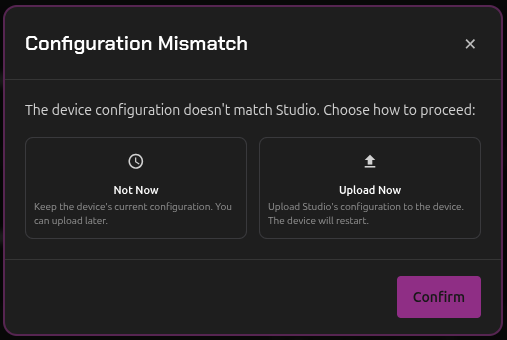
Lumyn Studio runs entirely in the browser with no data stored on our servers. Connect power and USB, then Studio reads your device configuration on connect.
If Studio already has a different saved copy for that device, you choose which version to keep.
LED Commander
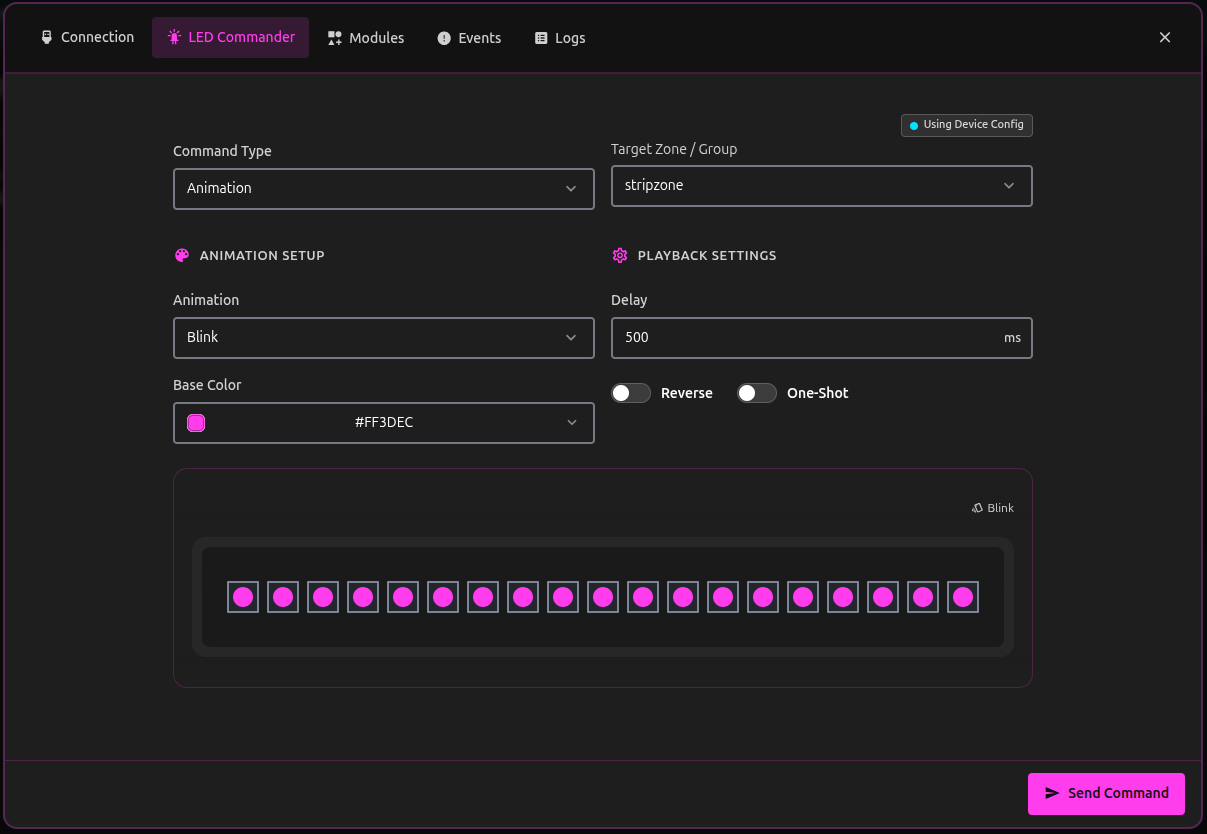
Test hardware before you write robot code. LED Commander uses your live device configuration to fill in command types and targets.
Run animations, sequences, image sequences, LLA files, scrolling matrix text, or a solid color. Strips and matrices update in Studio as commands reach the device.
Motion Editor
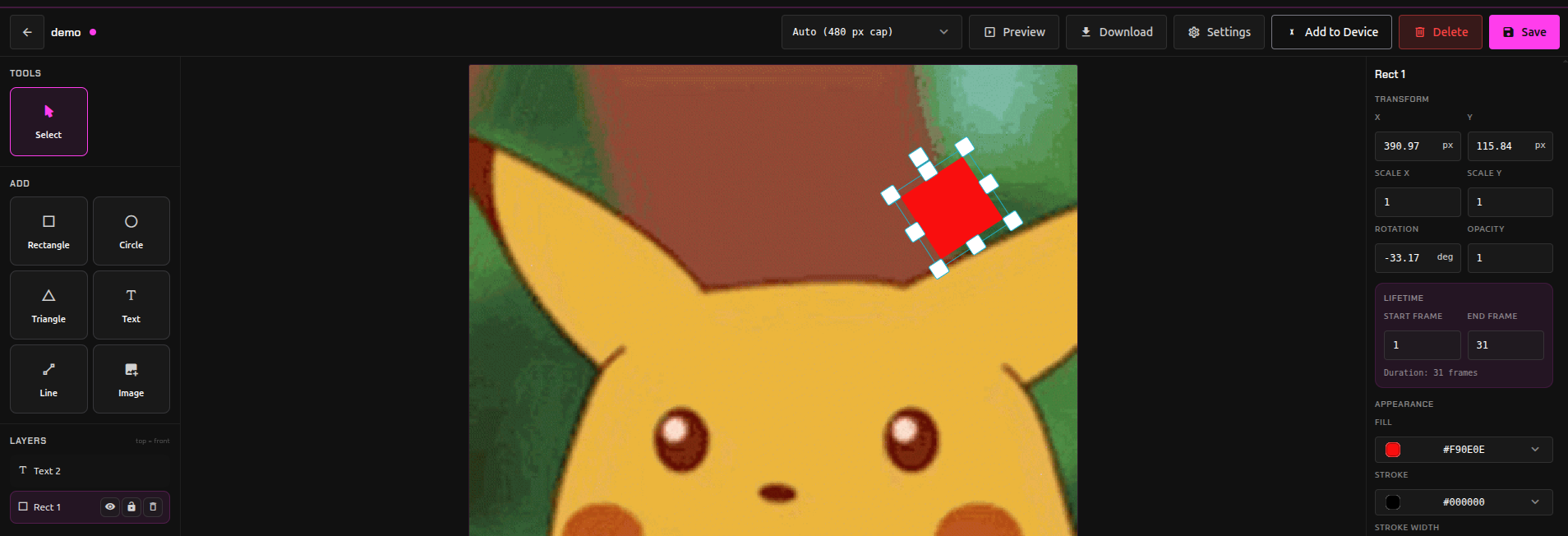
The image sequence editor for matrix zones supports timeline editing with layers, keyframes, vector shapes, text, and GIF import and export.
Preview at your hardware matrix resolution. Set aspect ratio, frame count, and timing before upload so Studio matches on-device playback.
Send to device
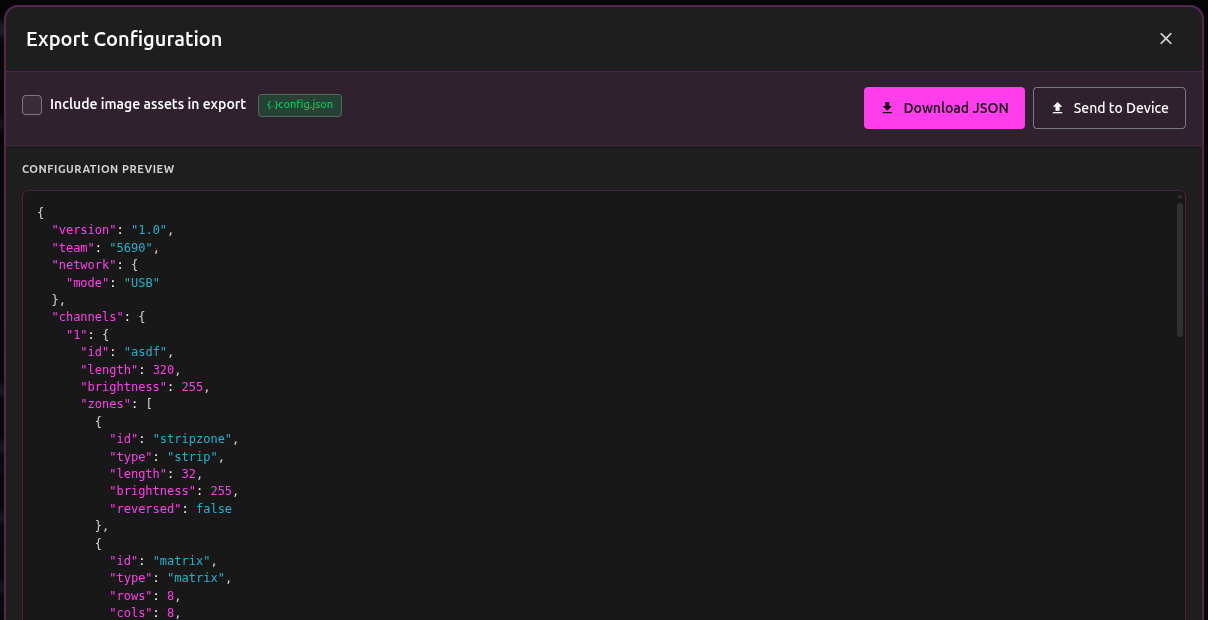
Upload configuration JSON and image-sequence assets to a connected device from Studio. Routine deploys do not require an SD card shuffle.
Export compact .lla (Lumyn Labs Animation) files for faster on-device playback of image sequences.
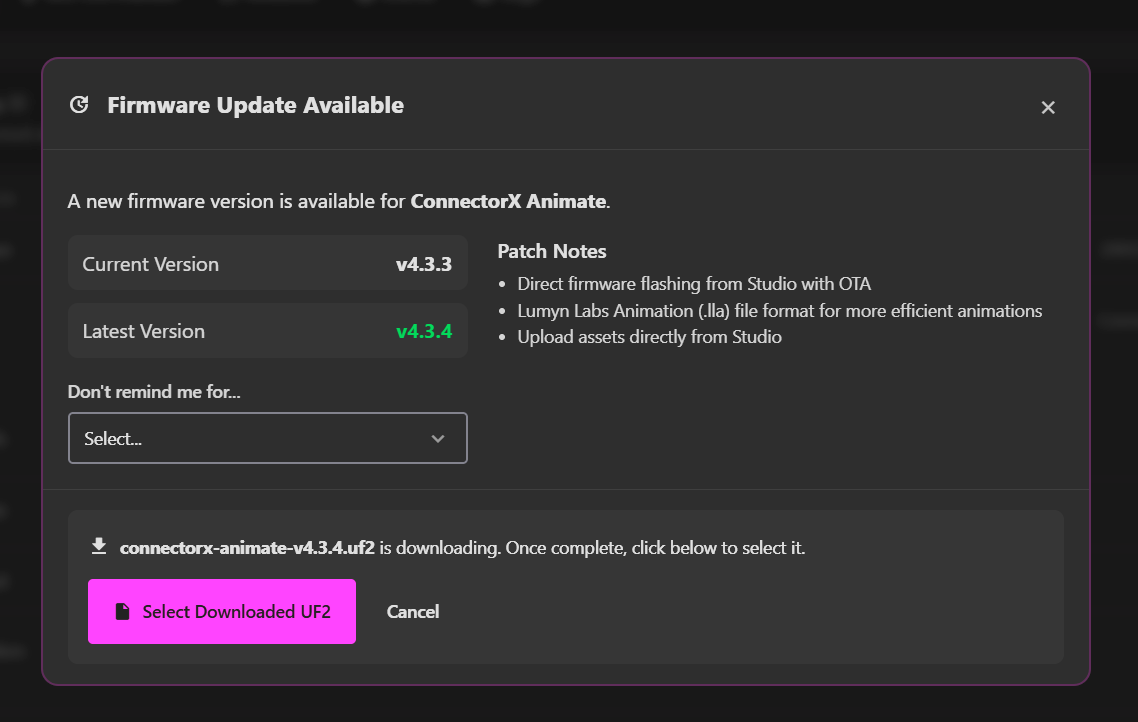
OTA firmware updates
Devices on firmware 4.3+ can update from Studio when a newer version is ready. Follow the on-screen steps; no bootloader mode for routine updates.
UF2 flashing from GitHub Releases is still there if you want the bootloader path.